Customer Love Week is our annual Product and Engineering initiative dedicated to our customers. As we close out the year, teams focus on delivering improvements inspired directly by feedback and feature requests from AdRoll and AdRoll ABM users.
The result? Product updates our customers have been asking for. Read on to see the biggest enhancements we shipped across AdRoll and AdRoll ABM. And jump into our product to see what’s new!
AdRoll’s Most Requested Changes
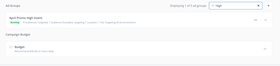
1. Add searchable filter by ad group capabilities
What: Instead of scrolling and scanning through lists, users can now use the search field to filter down their list of ad groups.
Why: Before, it was time consuming and cumbersome for users to find a specific ad group in a campaign with multiple ad groups. This enables faster navigation and editing in campaigns with large numbers of ad groups.
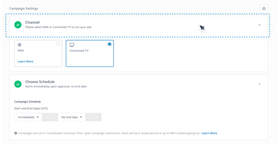
2. Improve expand and collapse behavior for cards
What: Users can now click anywhere on a campaign card to expand or collapse it, without needing to use the Edit and Done buttons or scroll to the bottom of long sections.
Why: This aligns with common user expectations, reduces unnecessary scrolling and clicks, and makes quick reviews or small edits faster.
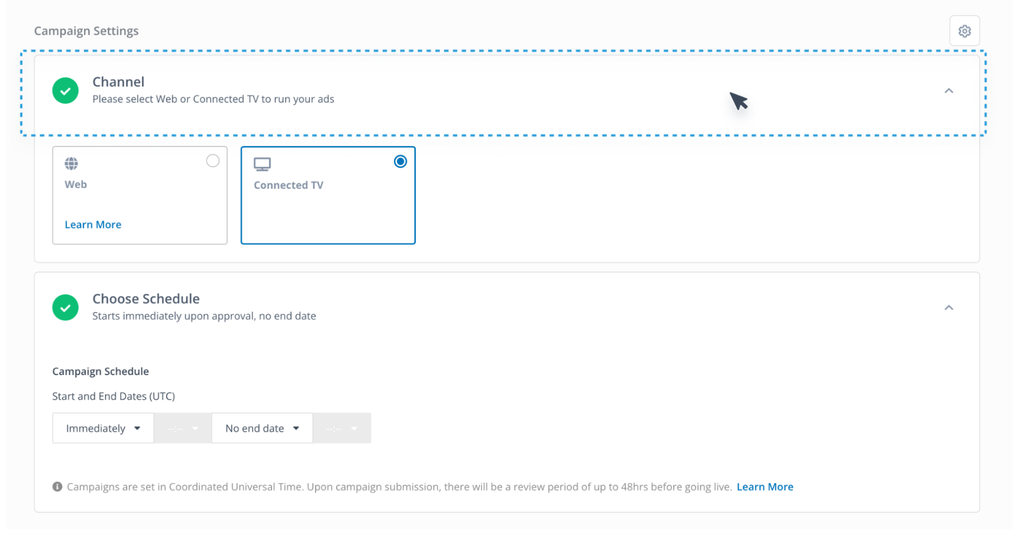
3. Increased reach for TikTok campaigns
What: Ability to create TikTok campaigns in AdRoll that can target pixel audiences containing website visitors, as well as email-based audiences.
Note: Customers will be prompted to add the TikTok pixel to their website if they haven’t already. This is separate from the AdRoll pixel.
Why: TikTok campaigns created in AdRoll could only target audiences generated by matching email addresses. These audiences are often small, which caused campaigns to lack scale.
AdRoll ABM’s Most Requested Changes
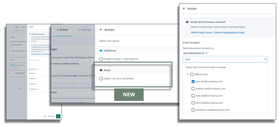
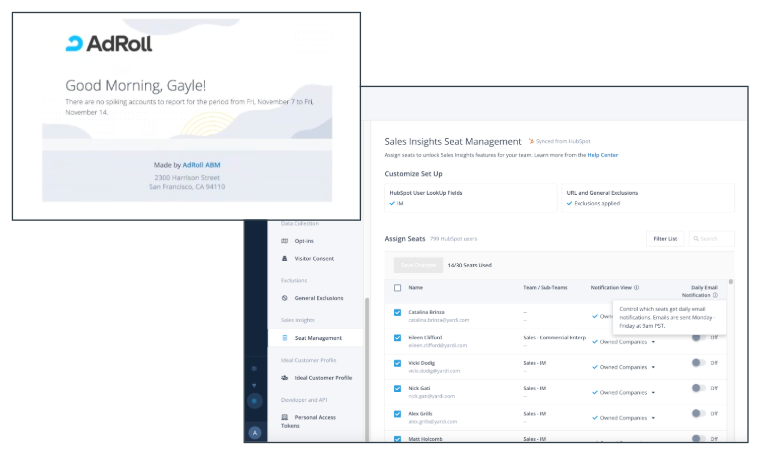
4. Allow opt out for “no spiking accounts” emails
What: Customers can choose to opt-out of email notifications unless they have spiking info from the last 24 hours.
Why: Customers would receive email notifications that were empty or didn’t have recent spiking info.
Customers wanted a way to opt out of these emails but still receive the email if there were in fact spiking accounts.
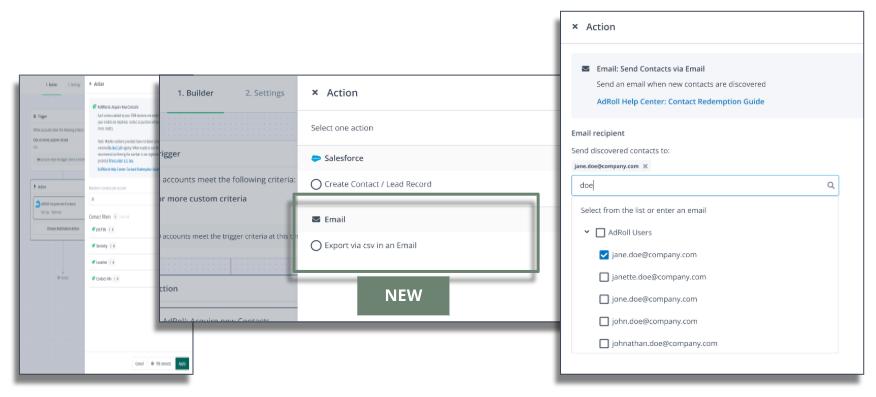
What: Customers can export CSV lists or send them to another employee for review before uploading to the CRM. This flexibility in data export allows customers greater control over where and how they upload the data.
Why: When redeeming hot contacts in workflows, customers could only push contacts directly into CRM without being able to review them for data hygiene/validation. NOTE: This capability can be accessed by reaching out to your AdRoll ABM account manager.
6. Ability to dynamically sync lists from HubSpot and Salesforce for general exclusions
What: When building general exclusion lists, now you can create a rule-based list that syncs from Salesforce and HubSpot. This is the new preferred method for building exclusion lists.
Why: Previously, customers would need to maintain a manual CSV exclusion list from HubSpot for general exclusions.
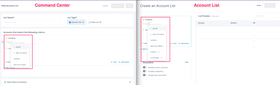
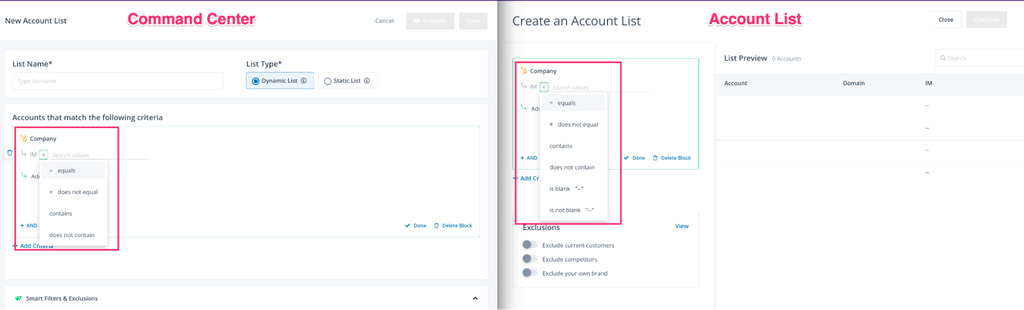
7. Command Center account list supports filtering blanks
What: Remove accounts with blank fields when building lists from the ABM Command Center. This allows for more flexibility in list segmentation and building directly from the Command Center.
Why: The Command Center list builder did not include the filtering for blank values, whereas the standard account list builder did. This enhancement brings a better customer experience and consistency in list building in various parts of the product.
8. Updated data visualization in engagement report
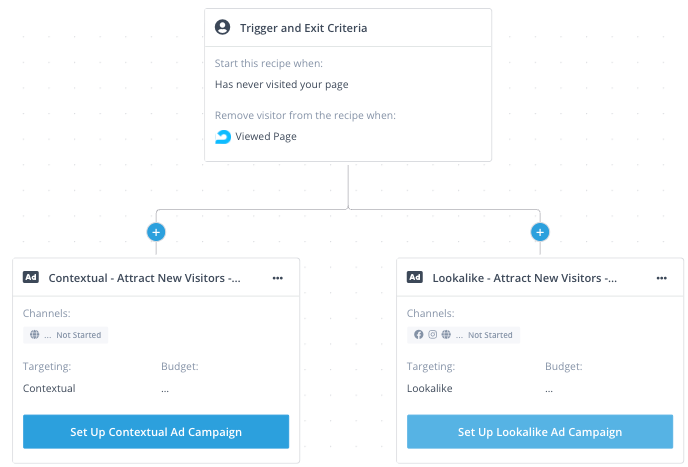
What: AdRoll ABM’s engagement report allows you to measure engagement of accounts within a specific account list or group. It combines data from your CTV campaigns, website campaigns, website playbooks, and LinkedIn campaigns launched through the AdRoll ABM platform. We have recently improved the data visualization in the report.
Why: The report included several visualizations that caused confusion among customers. We have also added more descriptive labels to certain metrics, such as “accounts with +3 page views” versus the previous “accounts engaged.”
9. Improved custom HubSpot Insights integration for sales insights
What: This enhancement gives HubSpot users the same flexibility that Salesforce users already have in Sales Insights: the ability to select which CRM field determines account ownership for the widget and spike email notifications. For example, customers can set ownership to “SDR” or another designated custom field rather than defaulting to “company owner.”
Why: HubSpot was limited to the default “company owner” field. With this release, customers can instead configure alternate fields depending on how their organization structures ownership across business units. This can help with customers who have multiple business units or complex ownership structures, and ensuring sales insights are relevant to the right account owners.